
In this article
Use the My Profile page to update your personal identity information, including your name, phone number, password, and multi-factor authentication (MFA) settings. Changes take effect immediately across your entire SchoolDay account.
Requirements
- District Admin, Primary District Admin, and Vendor Admin roles.
Update your profile
- Go to Connect.
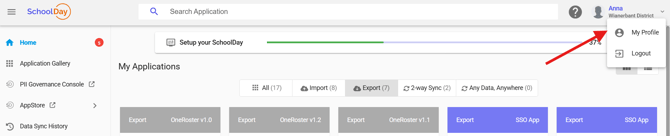
- On the top toolbar, select your profile icon, then select My Profile.
- Update the necessary fields, such as your name, password, or organization details.
- Click Save to apply your changes.
Verify the change
- If you changed your password, sign out and sign back in with the new one to confirm it was accepted.
- Reopen My Profile and check that your updated details display correctly.