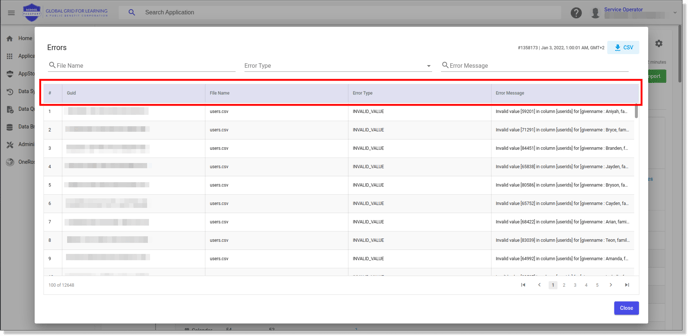
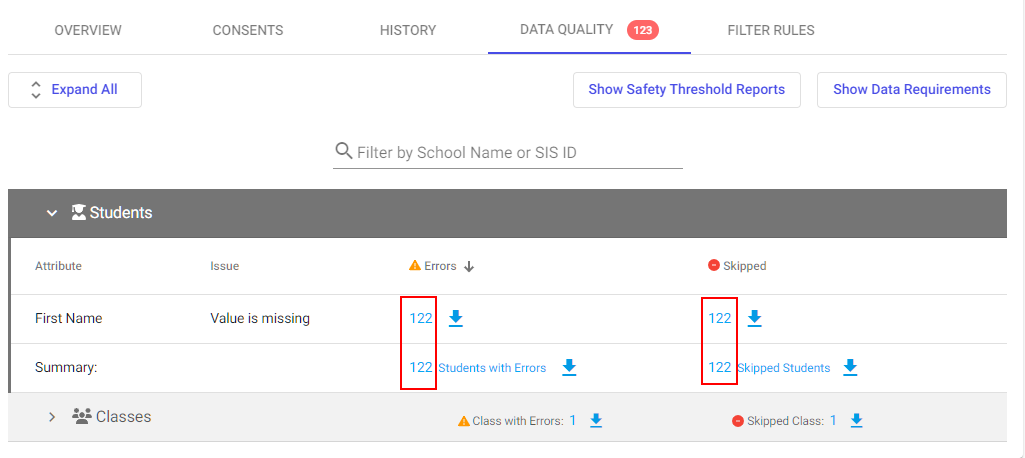
The Data Quality tab shows all data validation errors and skipped records in your application. You can download data quality reports in CSV format at two levels: a specific error category or an entire section.
Requirements
- District Admin or Primary District Admin permissions
- An active import application
Procedure
To download a specific error or skipped attributes:
- Go to import application > Data Quality tab.
- Locate the section (for example, Students).
- Find the attribute row you want to download (for example, First Name).
- In the Errors or Skipped column, click the blue download arrow next to the number.
- Your browser downloads the CSV file with only that category's records.
To download an entire report:
- Go to import application > Data Quality tab.
- Click Show Errors.
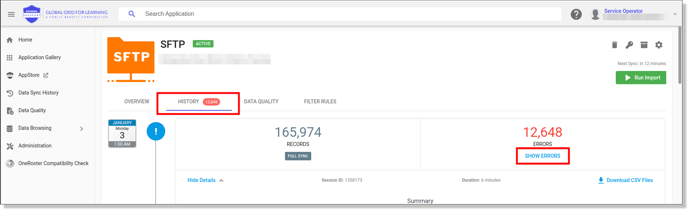
- Click CSV on the top roght to download a report.